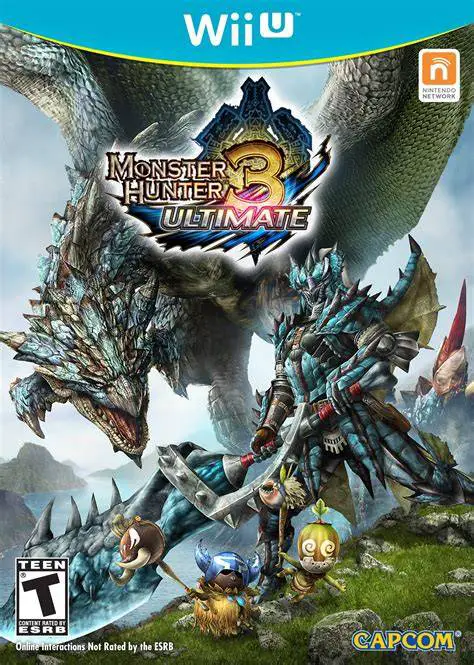
Monster Hunter 3 Ultimate
Step into the shoes of a heroic hunter and embark on epic...

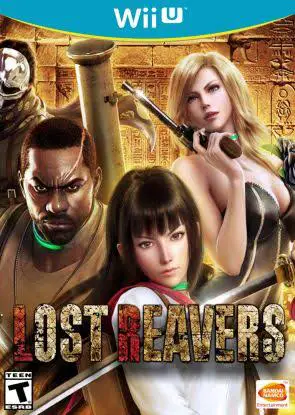
Lost Reavers (originally codenamed Project Treasure) was a free-to-play online cooperative action-RPG developed and published by Bandai Namco Entertainment exclusively for the Wii U eShop. Built around four-player online matchmaking, the game sent player squads into multi-room dungeon maps filled with traps, puzzle doors, and aggressive monster encounters.
Players chose from a cast of four distinct playable characters, each featuring unique combat styles and weapon loadouts: Sayuri (a sword-wielding katana specialist), Sayah (a dual-handgun assassin), Dwayne (a heavily armored heavy-weapons soldier), and Shadow (a masked operative armed with shotguns and axes).
The gameplay loop revolved around fighting through dungeons to reach a central chamber, securing a massive Relic, and escorting the carrier safely back to the exit point. Because the character carrying the Relic moved slowly and could not defend themselves, teammates had to clear surrounding hazards, disarm traps, and fend off boss monsters. Successful extractions rewarded players with experience points, craftable materials, and weapons upgrades to tackle higher difficulty levels.
Feature | Details |
Title | Lost Reavers |
Platform | Nintendo Wii U (eShop Exclusive) |
Developer | Bandai Namco Studios |
Publisher | Bandai Namco Entertainment |
Genre | Action RPG / Co-Op Shooter |
Release Date | April 2016 (Worldwide) / December 2015 (Japan) |
Game Modes | Online 4-Player Cooperative Multiplayer |
Input Support | Wii U GamePad, Wii U Pro Controller |
Download Size | ~1.7 GB |
4-Player Co-Op Extraction Mechanics: Coordinate with teammates to locate, pick up, and carry massive Relics back to extraction zones while defending against incoming monster waves.
Four Unique Mercenary Classes: Play as distinct character archetypes utilizing katana strikes, heavy machine guns, dual pistols, or shotgun combat.
Dynamic Trap & Dungeon Layouts: Infiltrate ancient Egyptian pyramids, underground research labs, and overgrown temples packed with floor spikes, laser grids, and locked puzzle gates.
Weapon Crafting & Skill Trees: Upgrade firearm stats, unlock character skill perks, and modify weapon durability using materials looted from successful raid runs.
Free-to-Play Structure: Accessible via the Nintendo eShop with optional microtransactions for stamina recovery and VIP bonus reward boosts.
A: No, Bandai Namco officially shut down the game servers for Lost Reavers on May 30, 2019. Because the game required an active online server connection to load, it is no longer playable on official hardware.
A: No, Lost Reavers was strictly an online multiplayer game that required a persistent Nintendo Network internet connection, even when playing missions solo.
A: Once a squad reached the main treasure room, one player had to physically pick up the Relic, which restricted them to slow walking speeds and prevented them from using weapons. The remaining three players had to act as bodyguards to protect the carrier.
A: No, Lost Reavers was completely free to download and play from the Wii U eShop without requiring any paid online subscription fees.
Click the links below to go to the cloud drive download page
⚠️ Download Tips: