
Affordable Space Adventures
Step into the shoes of a thrilled tourist exploring an al...

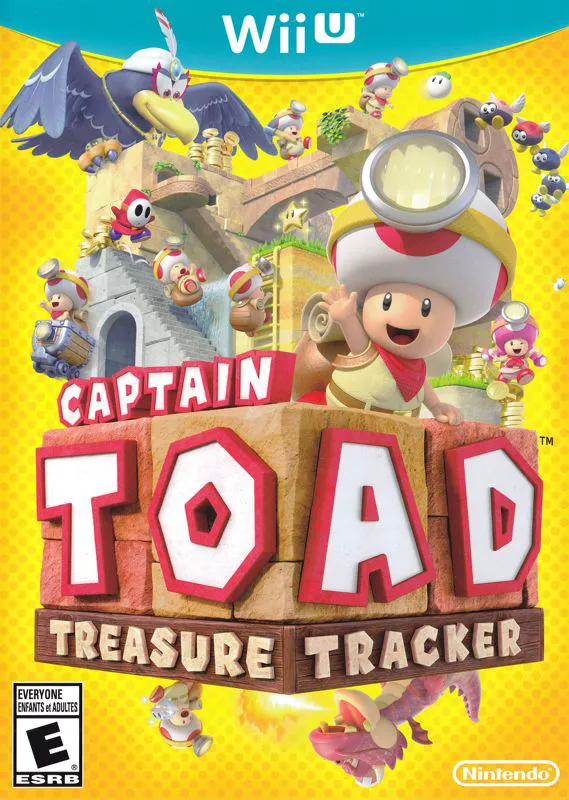
Captain Toad: Treasure Tracker is an acclaimed isometric puzzle-platformer developed by Nintendo EAD Tokyo and published by Nintendo for the Wii U. The game centers around Captain Toad and Toadette, two adventurous members of the Toad Brigade who explore mysterious "Rubik's Cube-style" diorama stages in search of treasure and Power Stars.
Unlike traditional Mario platformers where rapid jumping is core to survival, Captain Toad’s heavy equipment keeps his feet firmly planted on the ground. Gameplay revolves around rotating the camera 360 degrees using the right thumbstick or GamePad motion controls to inspect levels from every perspective, revealing hidden tunnels, concealed ladders, and secret doorways.
Players interact directly with stages using the Wii U GamePad touchscreen to raise platforms, turn gears, and temporarily stun enemies. Throughout the campaign, stages vary wildly—from runaway minecart shooting sequences using first-person GamePad aiming to tense boss encounters against giant lava dragons. With bonus stages inspired by Super Mario 3D World and deep replayability through optional level objectives, Captain Toad: Treasure Tracker stands out as a unique gem in the Wii U lineup.
Feature | Details |
Title | Captain Toad: Treasure Tracker |
Platform | Nintendo Wii U |
Developer | Nintendo EAD Tokyo |
Publisher | Nintendo |
Genre | Isometric Puzzle-Platformer |
Release Date | December 2014 |
Game Modes | Single-player |
Input Support | Wii U GamePad (Touchscreen Required) |
Download Size | ~1.9 GB |
No-Jump Puzzle Mechanics: Overcome complex levels without jumping, using timing, camera rotation, and environmental navigation to evade hazards.
360-Degree Camera Controls: Rotate diorama stages freely to spot hidden passageways, tucked-away Super Gems, and secret Power Star paths.
Interactive GamePad Features: Tap the GamePad touchscreen to move blocks, turn mechanical cranks, stun enemies, and blow into the microphone to activate wind platforms.
First-Person Minecart Stages: Board minecarts and throw turnips at enemies, coins, and blocks in immersive first-person motion-controlled shooting sequences.
Amiibo Hide-and-Seek Mode: Tap the Toad amiibo figure to unlock an exclusive Pixel Toad hide-and-seek challenge across every completed level.
A: Yes, the Wii U GamePad is mandatory because essential gameplay features—such as touching platforms, turning cranks, and aiming minecart turnip launchers—rely directly on the GamePad touchscreen and motion sensors.
A: Captain Toad carries a heavily loaded backpack filled with treasure hunting supplies, which physically prevents him from jumping and creates the game's unique puzzle-focused traversal mechanics.
A: The main campaign features over 70 distinct diorama stages split across three primary story episodes, alongside bonus unlockable stages based on Super Mario 3D World.
A: Yes, the game fully supports Off-TV Play, allowing you to view and play the complete puzzle adventure directly on the Wii U GamePad screen without needing a TV.
Click the links below to go to the cloud drive download page
⚠️ Download Tips: